Basic
DIY and stay compliance with CRA
Only
$29.99
- Covers employment, unemployment, and pension income
- Step-by-step guidance
- Import slips directly from CRA or scan slips using our AI tool
*Prices do not include a 13% tax, which will be added at checkout.
plus
Basic audit protection
Starting at
$29.99
- Everything in Basic, add:
-
Basic Tax Audit Protection
Guidance for responding to CRA notices.

M7 PRO (Self-employed)
Personal and business income taxes
Starting at
$29.99
- Everything in Basic, add:
-
Basic Tax Audit Protection
Guidance for responding to CRA notices.
- Report self-employment, contract, and side gig income
- Report rental income
Why M7 Tax Online?
Simple tax returns
Have a simple tax situation? M7 Tax has you covered. Start your simple tax return for $0.
Maximum refund guaranteed*
M7 maximizes your refund by finding every deduction and credit you qualify for (or get you the lowest tax payable.)
M7’s DIY + Review & File tax services use NETFILE-certified software (CloudTax) for secure and CRA-compliant filing. to ensure accuracy and maximize your return.
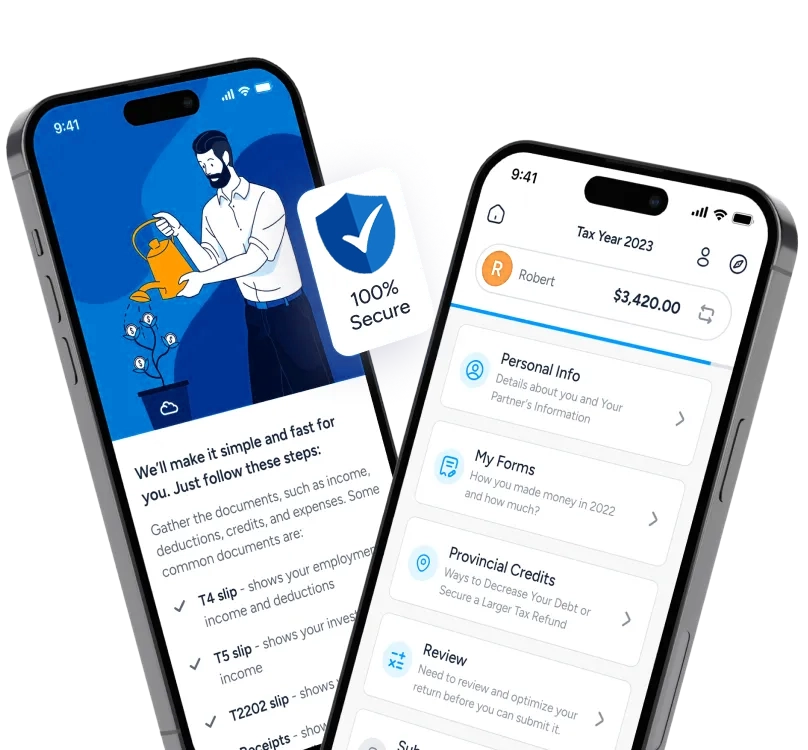
Just a few steps to get your tax done
Step 1:
Answer a few questions about yourself
Provide basic details about your tax situation, and M7 will include the correct forms in your return.

Step 2:
Import your tax slips
Quickly autofill your return by importing your tax details directly from the CRA.

Step 3:
Discover ways to save on taxes
M7 scans over 400 credits and deductions to secure your maximum refund.

Step 4:
Stay confident in your filing
You have a powerful tax tool at your fingertips. Remember to double-check everything—errors may prevent your file from being accepted by the CRA!

Experience the M7: The best way to file your taxes
Compare plans
Key Features
M7 DIY
M7
$29.99
Turbo Tax
$34.99
H&R Block
$44.99
AI powered slip scanning
Unlimited technical support via live chat
Video tutorial
Transfer last year's data
View PDF prior to filing
Digital Return Storage
Employment expenses (meals, lodging, etc.)
Donations
Medical expenses
Investment income and expenses
Rental property income and expenses
Receipt management tool
Peace of mind
for up to 7 years*
With Audit Protection, we provide unlimited CRA representation for up to seven years *for the specific tax year
-
Resolve tax debts
-
Address issues with CRA forms
-
Assist with denied credits

Questions? Answers.
Yes!
M7’s DIY + Review & File tax services use NETFILE-certified software (CloudTax) for secure and CRA-compliant filing. to ensure accuracy and maximize your return.
By choosing M7, you benefit from:
- A expert-driven platform to navigate your tax situation with confidence.
Answer a few simple questions, and you're ready to go. Don’t worry about your T-slips—we can import them directly from the CRA using Auto-fill My Return.
For more complex tax situations, additional documents or detailed financial info may be required. But no stress—we save your progress, so you can return anytime to add the details.
Simple tax returns include:
- Employment income
- Pension income
- Other employment income such as tips
- RRSP contributions
- Child care expenses
- Unemployment (EI) and social assistance
- Worker’s compensation
- Disability amount
- Worker’s benefit
- Amount for eligible/infirm dependants
- Tuition, scholarships, bursaries, grants, student loan interest
- Caregiver tax credit
- Disability transfer
- Home accessibility tax credit
- Tax on RESPs and RDSPs
- Tax installment payments
- Age amount
Income, credits, and deductions not listed above are not covered by M7 DIY, including:
- Employment expenses (meals, lodging, etc.)
- Donations
- Medical expenses
- Investment income and expenses
- Rental property income and expenses
- Self-employed income and expenses
- Absolutely! M7 is engineered to manage an array of tax returns. This includes straightforward returns like students, seniors, newcomers, and first-time filers to more complex scenarios involving forms such as T1135 and T776, T777, T2125, etc. No matter the complexity of the tax situation, M7 is equipped to assist.
M7 DIY guides you through your taxes like an interview, asking easy questions about your life (e.g., Are you married? Do you have kids?) and automatically completing the right tax forms for you.
Our tax experts keep the platform updated with the latest tax laws to ensure we ask the right questions. Your answers help the software uncover deductions, credits, and every dollar you deserve.
Yes, you can use M7 DIY Online on any PC or Mac, and even on your tablet or smartphone with a modern web browser. Plus, we offer tutorial videos to guide you step-by-step through your tax filing process.
If you have direct deposit set up with the CRA, you will receive your refund within 8-10 days of filing.
If you don’t have direct deposit set up, it will take up to 6 weeks to receive a refund cheque by mail.
Each plan includes a tailored option for self-employed individuals, with a dedicated page just for self-employed users. You'll be able to file if you choose M7 DIY.
When you're audited by the CRA, here's what happens:
- Initial Contact: The CRA will reach out by phone or mail to notify you of the audit’s details. The auditor will present their ID before starting.
- Records Examination: The CRA will review your personal and business records to ensure tax compliance and verify the accuracy of reported benefits and refunds.
- Audit Outcome: After the audit, one of three things can happen:
- No changes to your tax assessment.
- A reduction in tax owed and a refund.
- An increase in taxes owed, requiring payment.
While you’re responsible for your tax information, working with M7 maximizes your chances of a favorable outcome. We provide expert support if you need to challenge a reassessment.
Additionally, by selecting our Plus and M7 Pro plans, you gain access to Basic Tax Audit Protection—covering guidance for responding to CRA notices. Click to learn more.